
01
Checkout
Sell with a clear checkout flow.
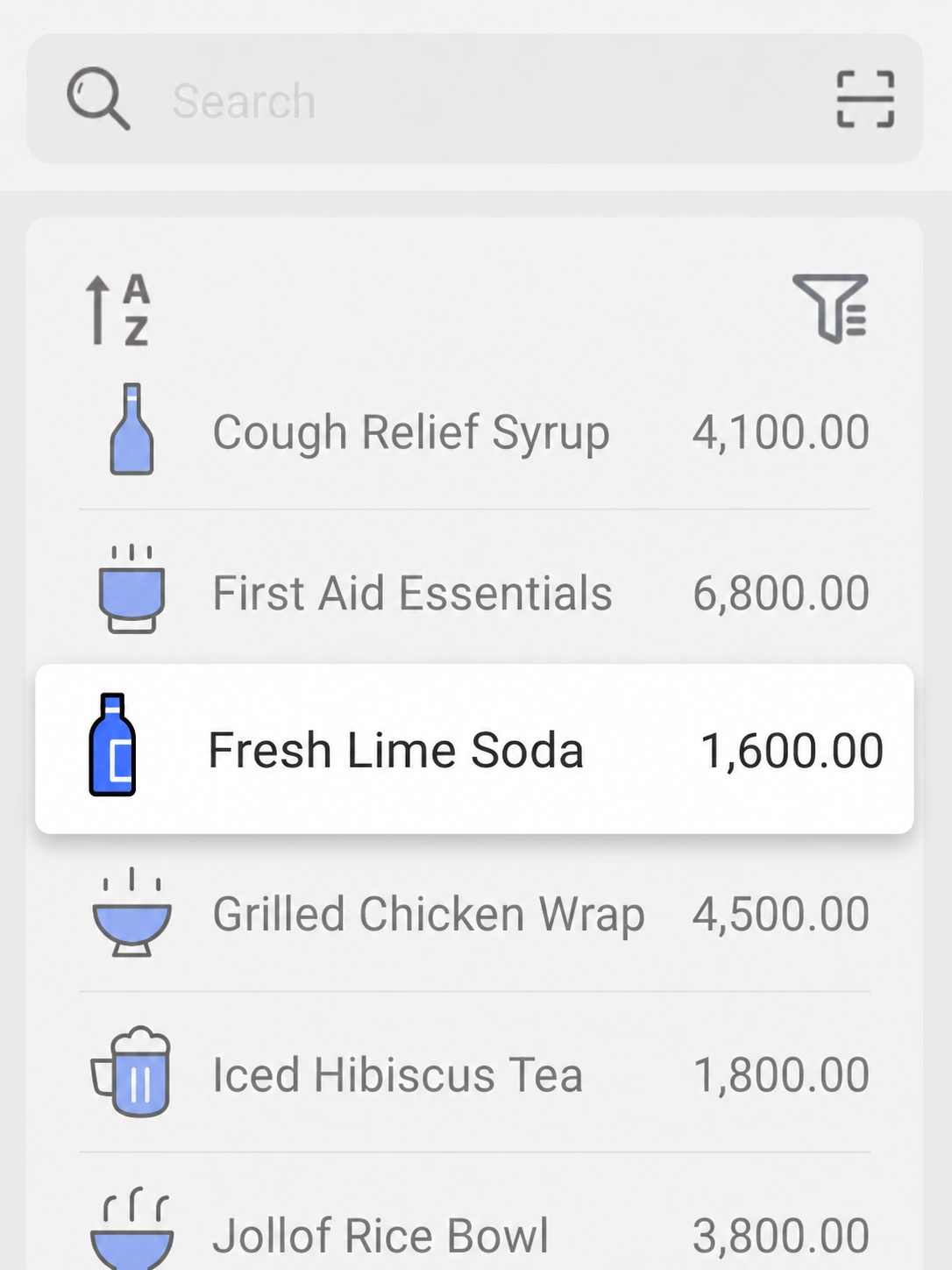
Search or scan products, record the configured payment method, check invoice details and complete the receipt without moving between disconnected tools.
EazSell connects everyday sales and stock work with fiscal safeguards and reliable recovery when connectivity is weak.

01 · OVERVIEW
Business Operations
EazSell gives SME teams one practical Android POS workflow that begins with serving the customer and continues through stock movement, payment records, shift handover and daily review.
Core capabilities
Checkout
Search or scan products, record the configured payment method, check invoice details and complete the receipt without moving between disconnected tools.
Business records
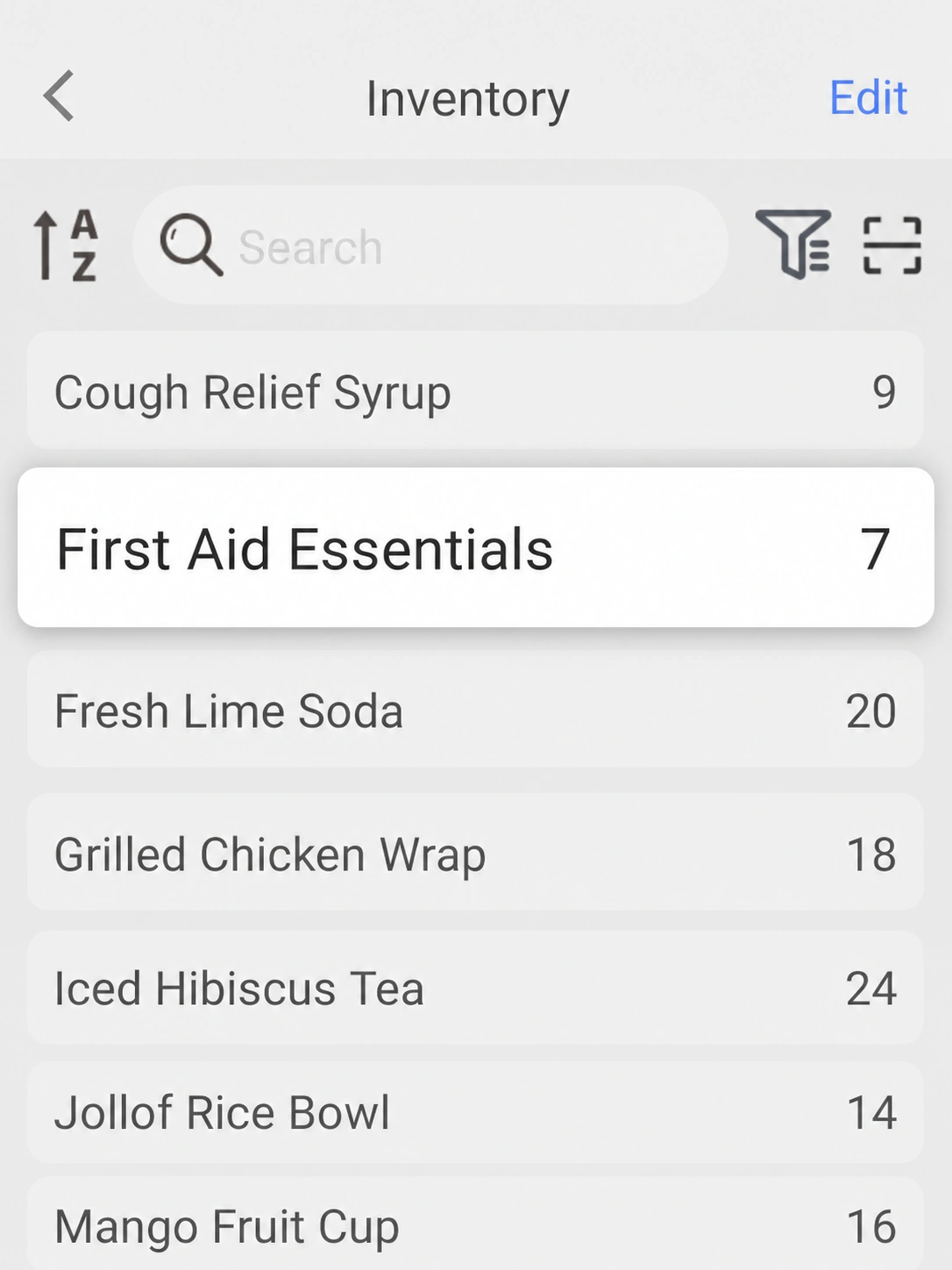
After checkout, inventory, sale history and reporting remain connected so managers have a clearer basis for handover and daily review.
More capabilities
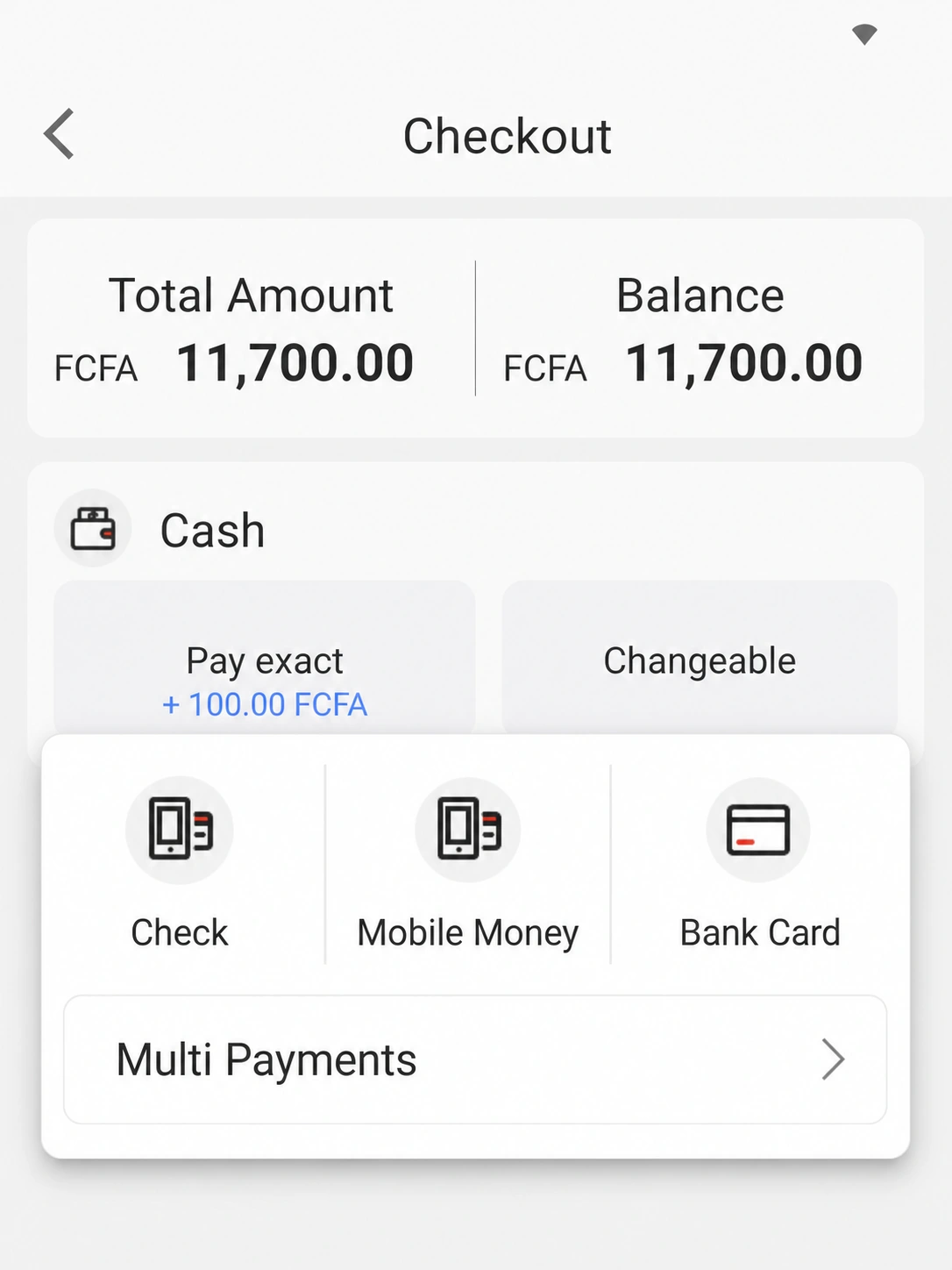
Keep the configured payment label beside the sale for clearer reconciliation.
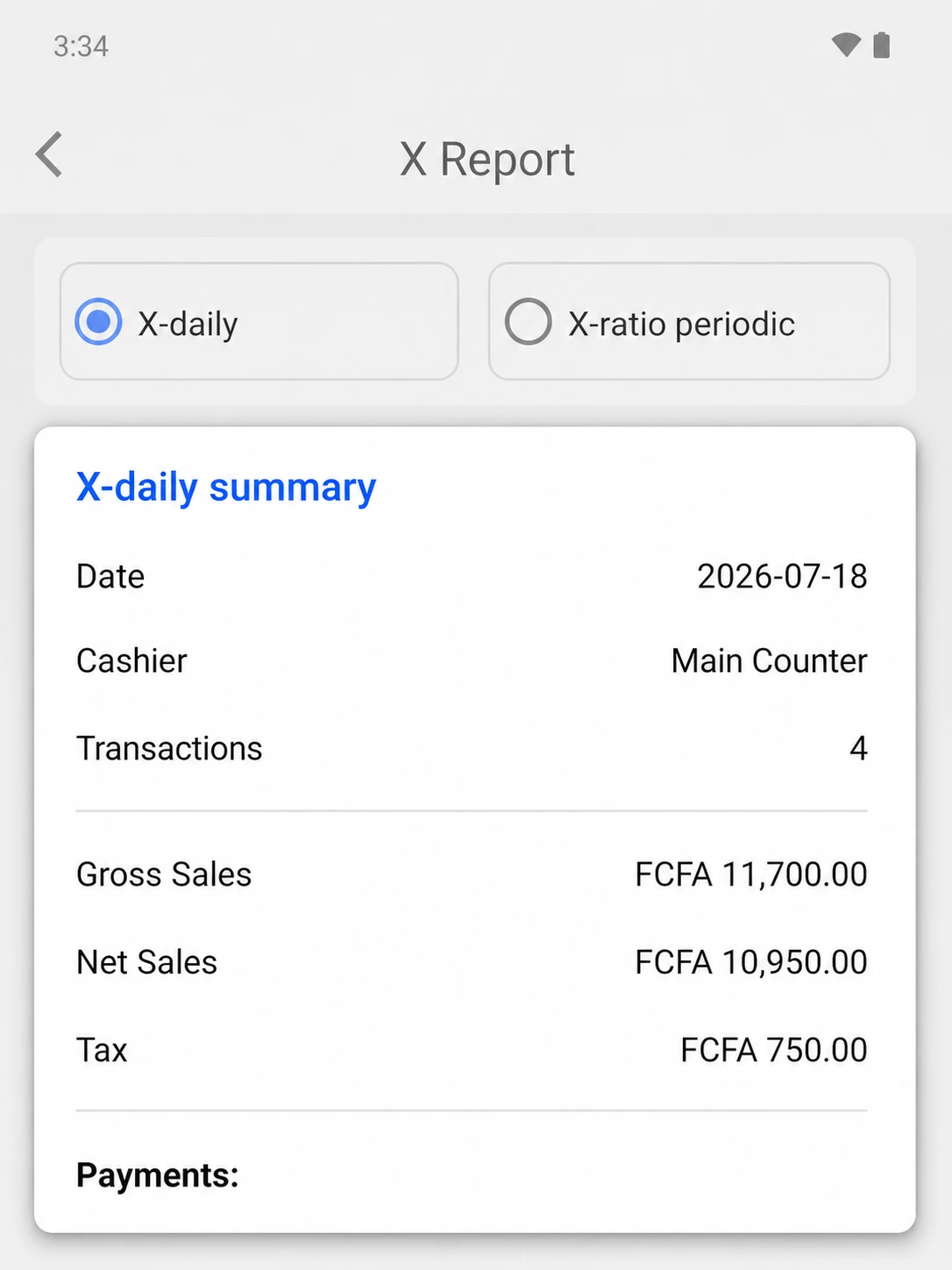
Choose the reporting period needed for handover or daily review.
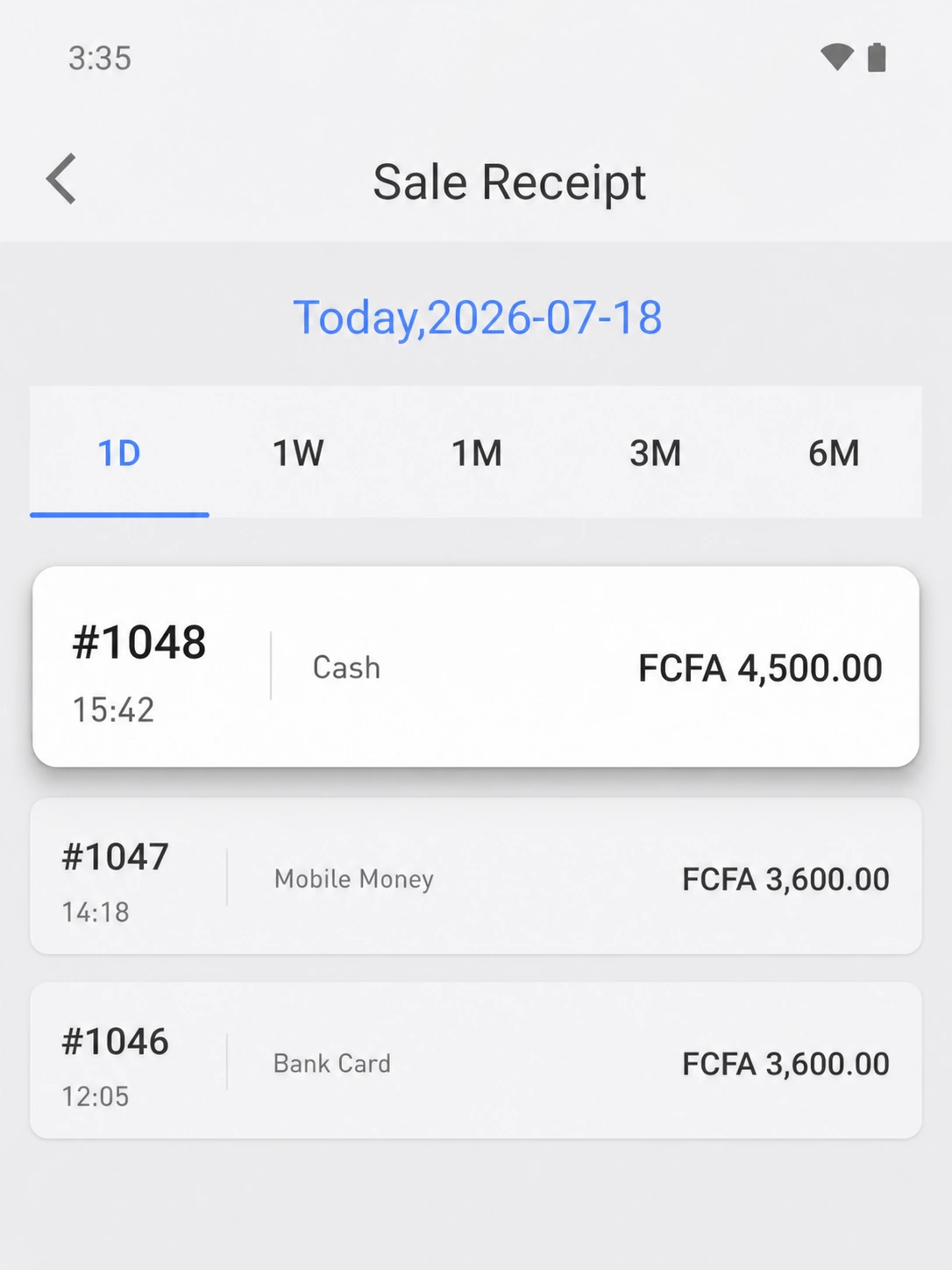
Trace completed receipts by number, time, payment method and amount.
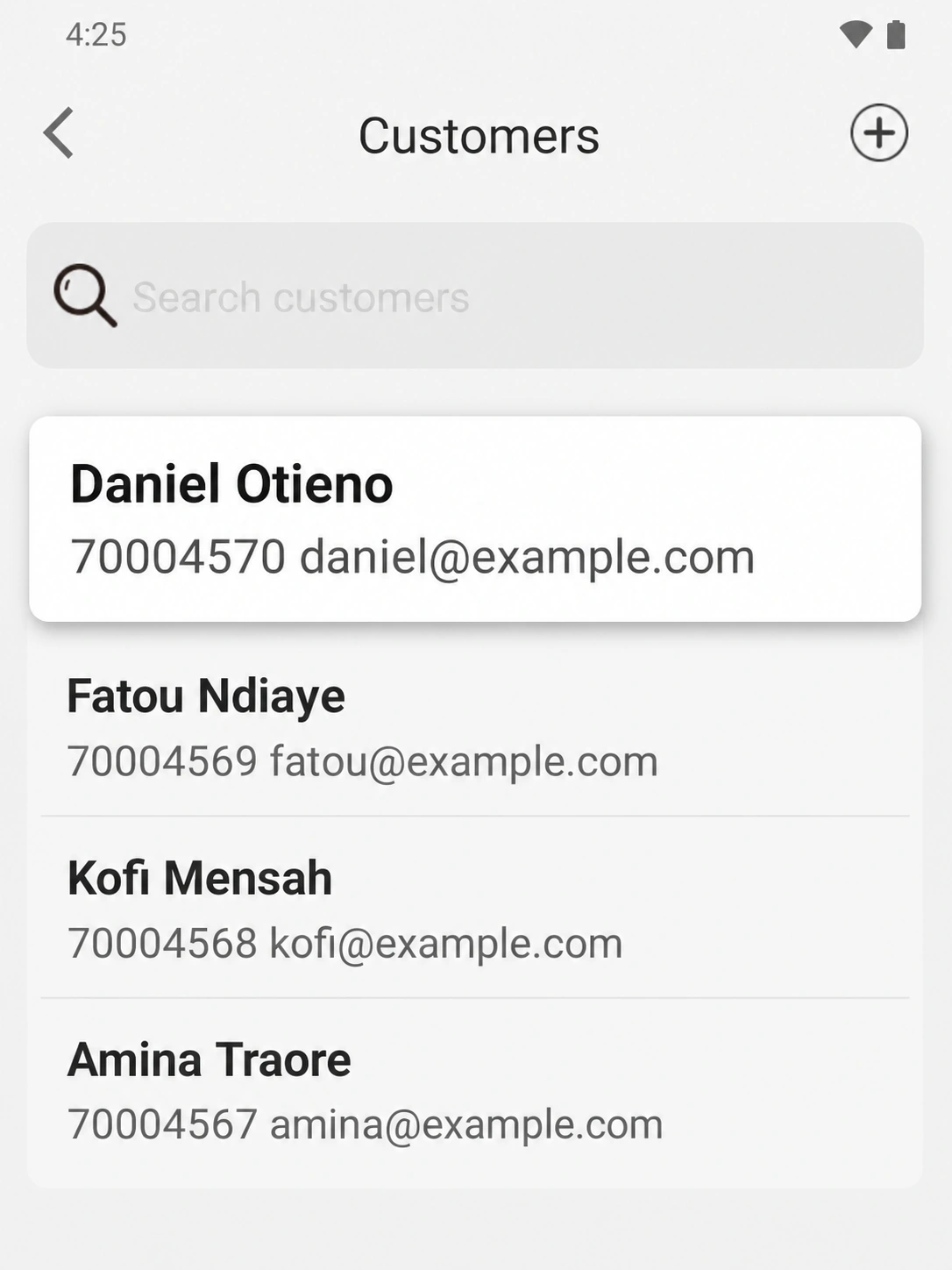
Keep a concise customer record close to the sales workflow for follow-up.
02 · OVERVIEW
Fiscal Compliance
Tax-class selection, country-configured rules and traceable transaction records keep fiscal context close to the sale without presenting every market as identical.
Core capabilities
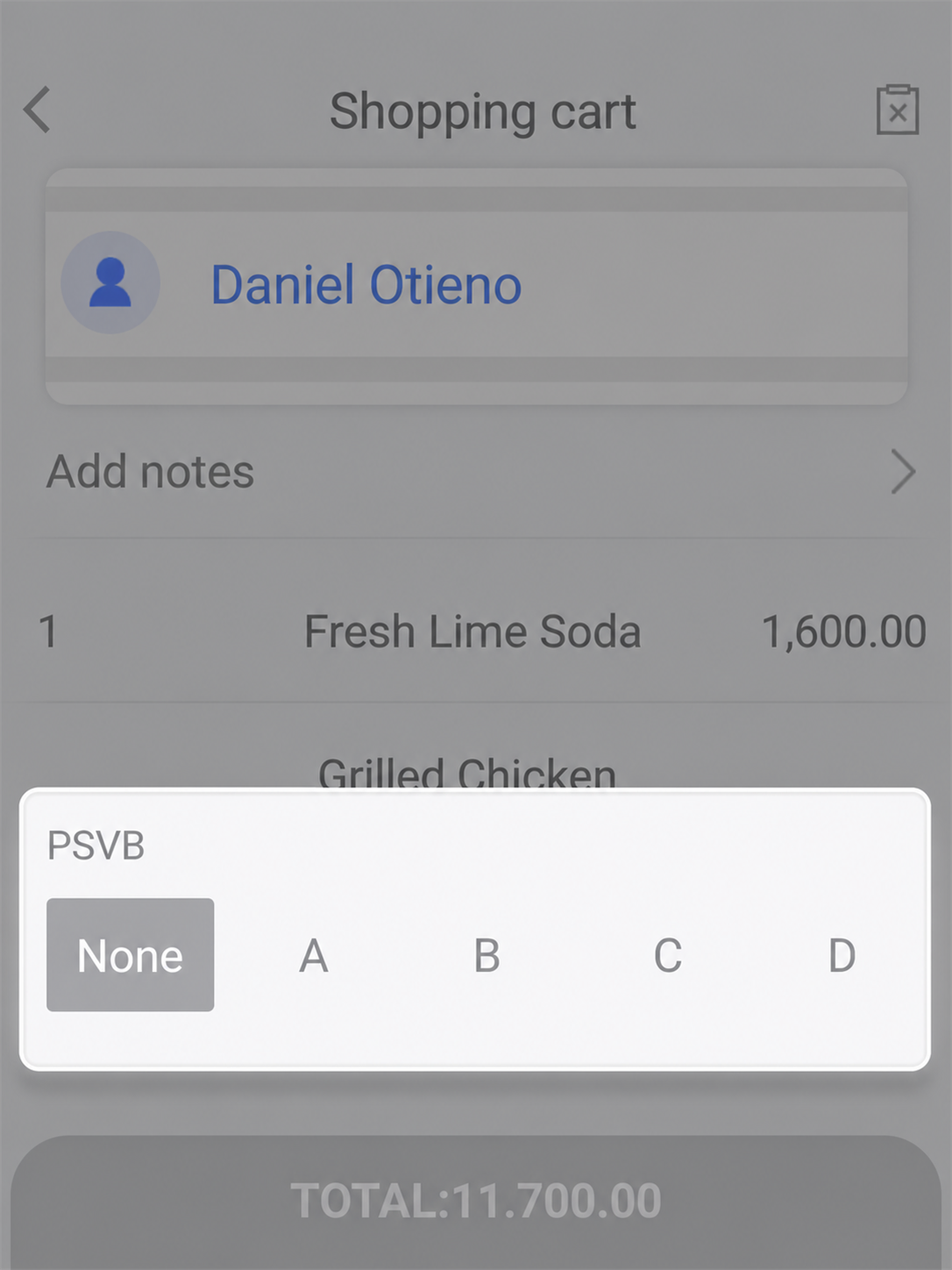
Before submission
Expose the PSVB tax-class selection in the shopping cart before the transaction enters the configured fiscal workflow.
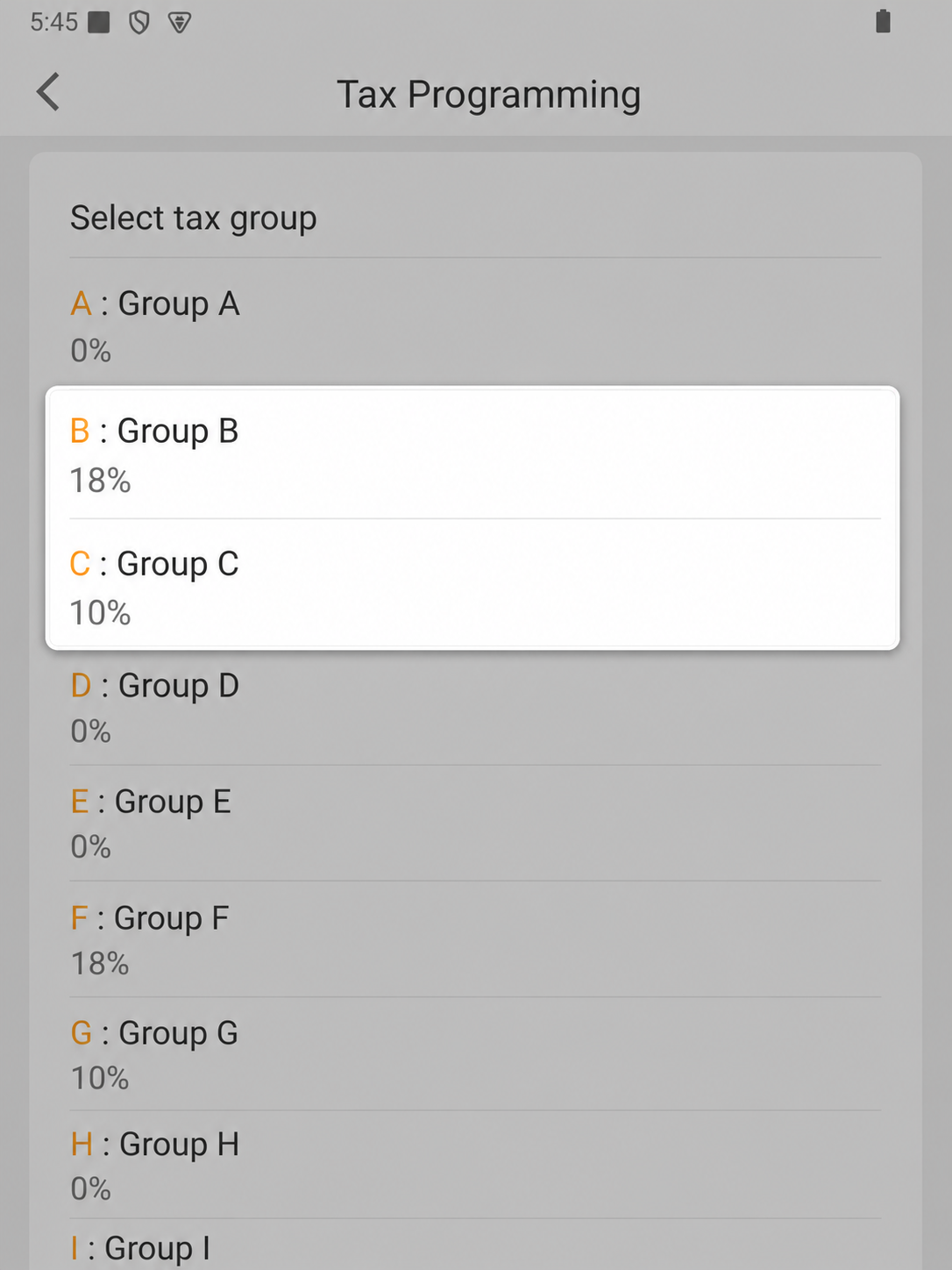
Configured rules
Keep the country profile's tax groups and percentages visible in one configuration view so the fiscal workflow starts from an explicit rule set.
More capabilities
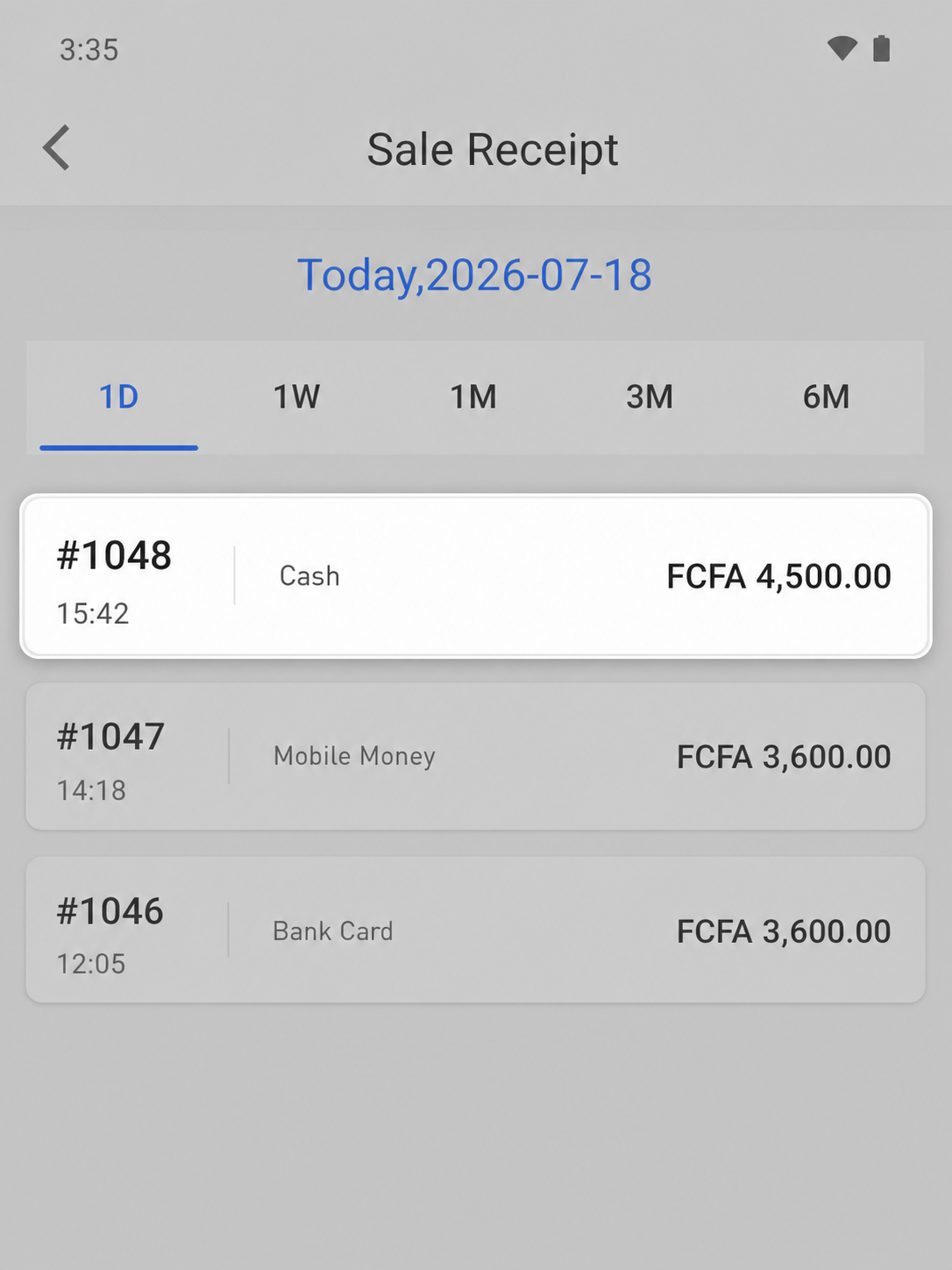
Keep the transaction reference, time, payment method and amount together so the team can trace a completed sale during review.
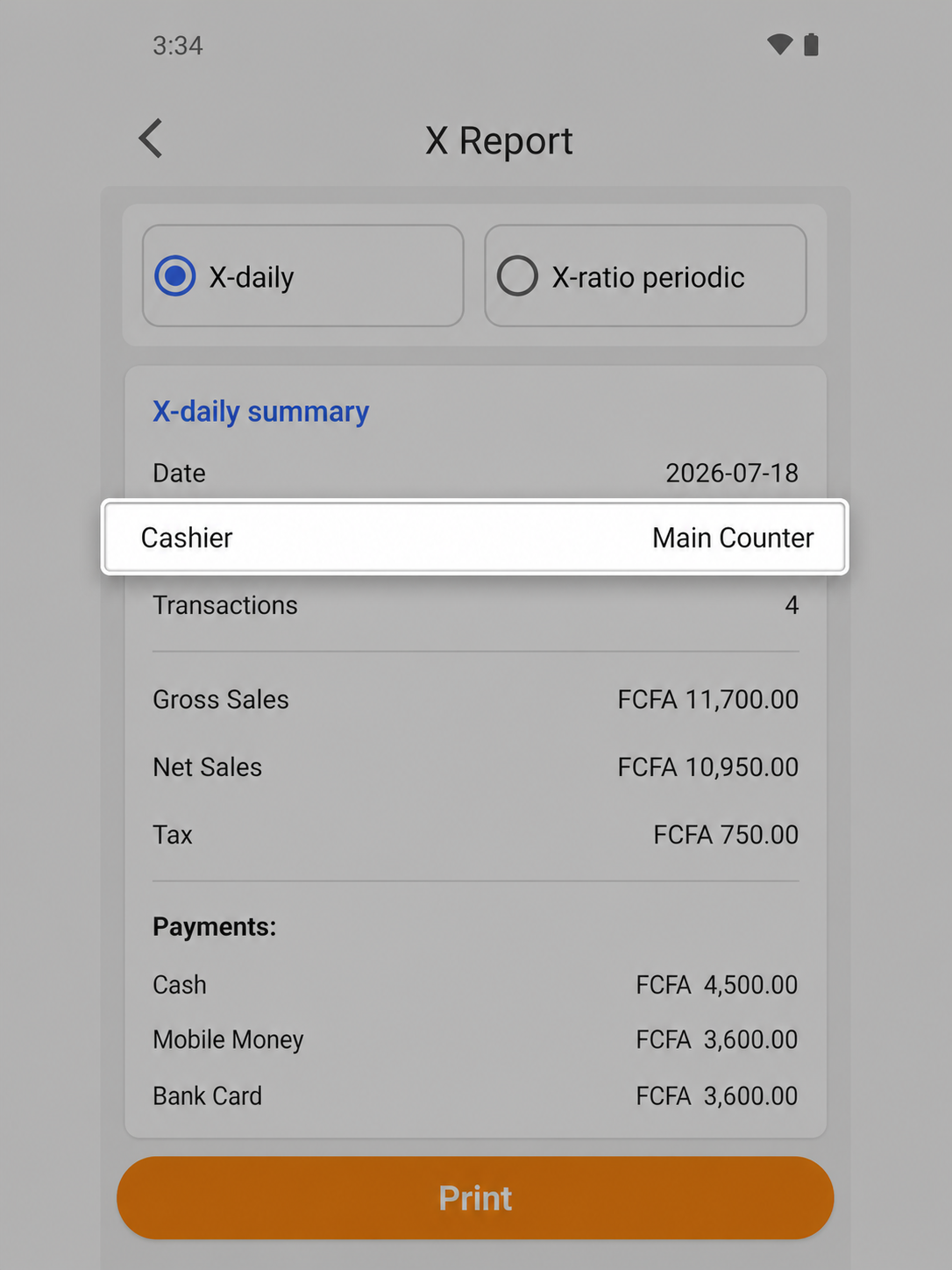
Show cashiers, managers and support teams the information relevant to their responsibility, including the operator identity and transaction count.
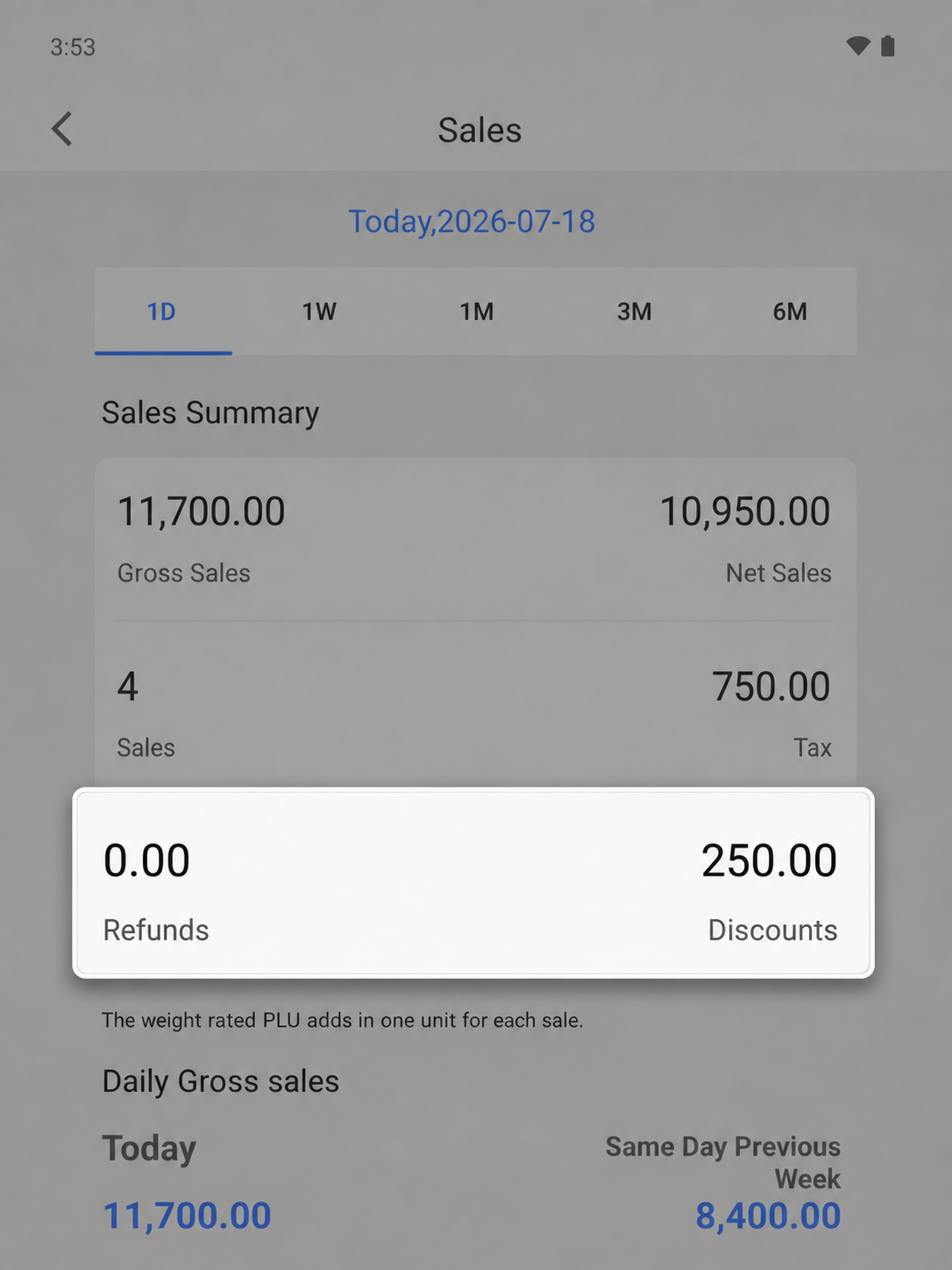
Keep management visibility around voids, refunds or credit notes by bringing refund and discount totals into the daily summary.
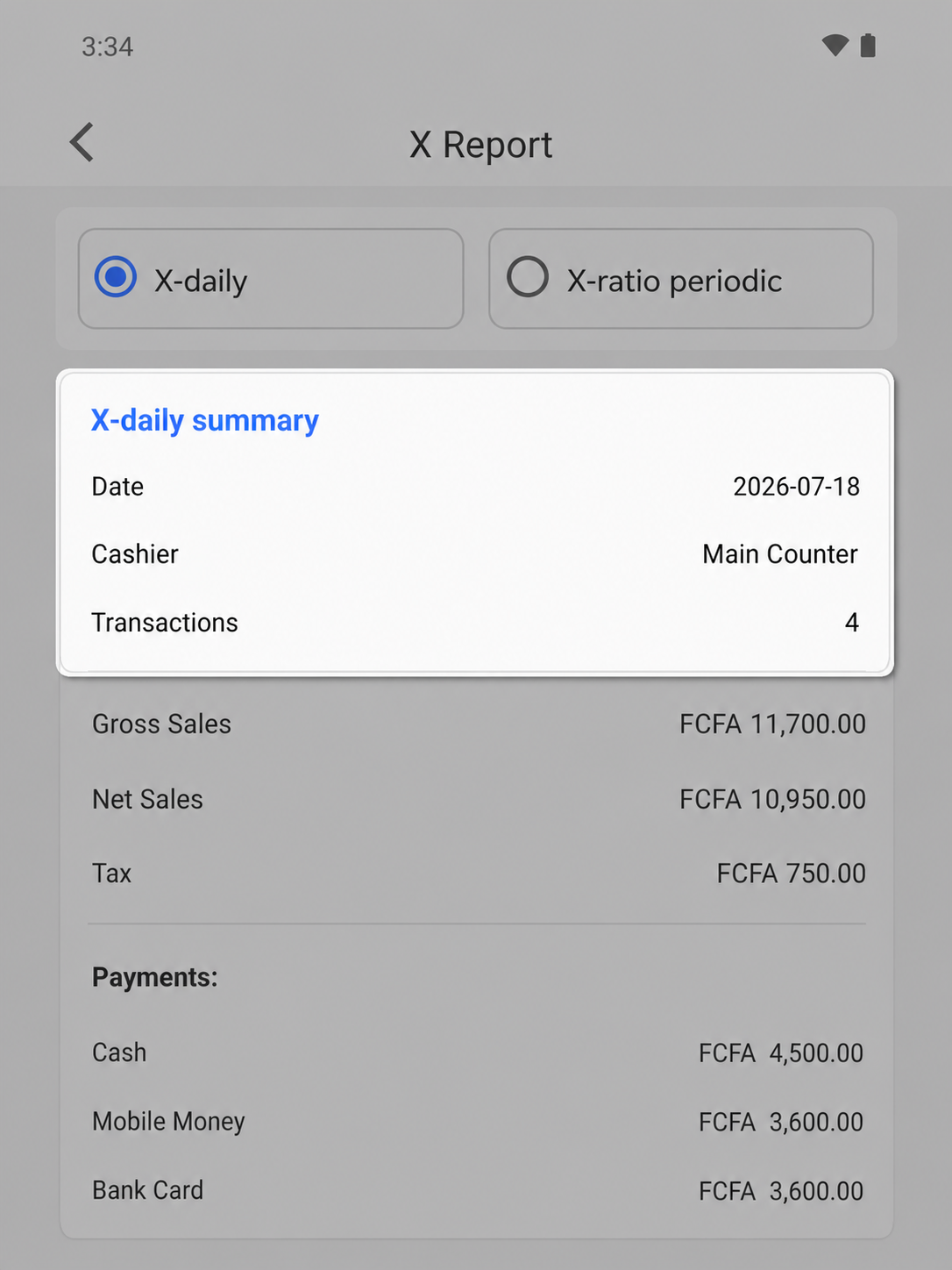
Review the date, operator, transaction count, sales and tax values in one X report.
03 · OVERVIEW
Offline Reliability
The local sales workspace and product catalogue remain available during an interruption, while transaction references and date filters support later review.
Core capabilities
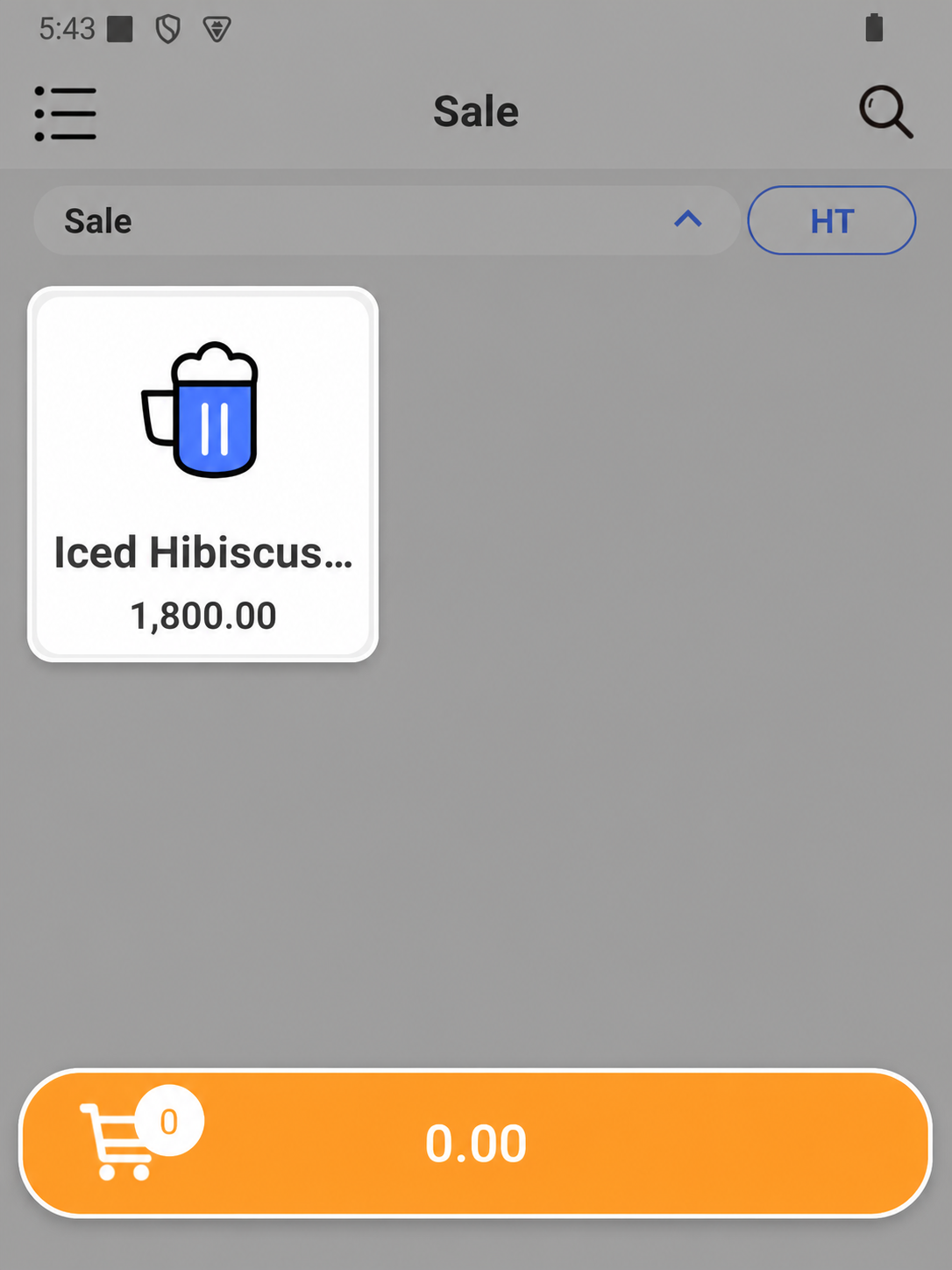
During interruption
Keep eligible sales tools and locally stored product shortcuts available on the device while connectivity is interrupted.
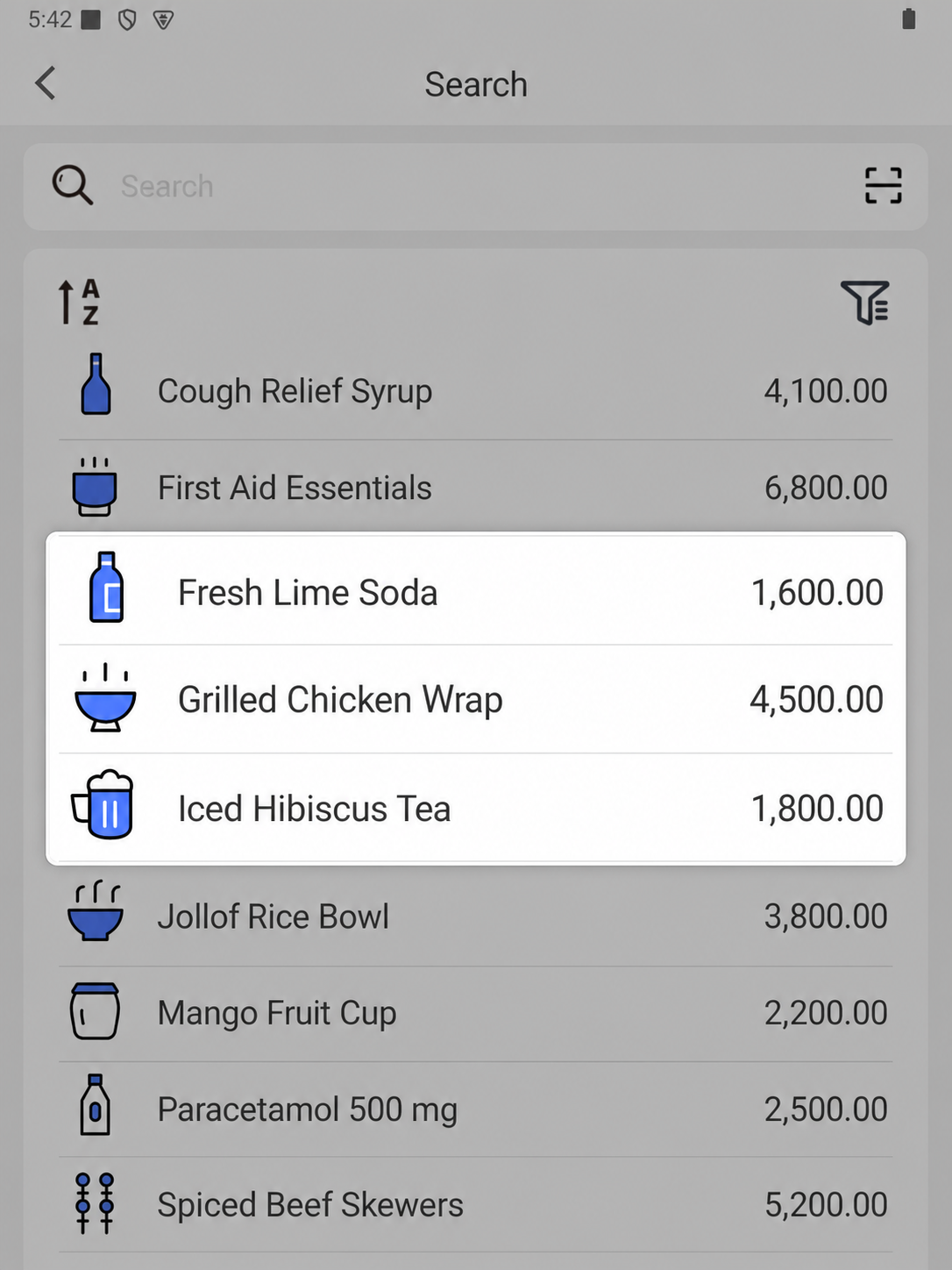
Local catalogue
Search or scan the product catalogue retained on the device, with names and prices still available to the cashier during an interruption.
More capabilities
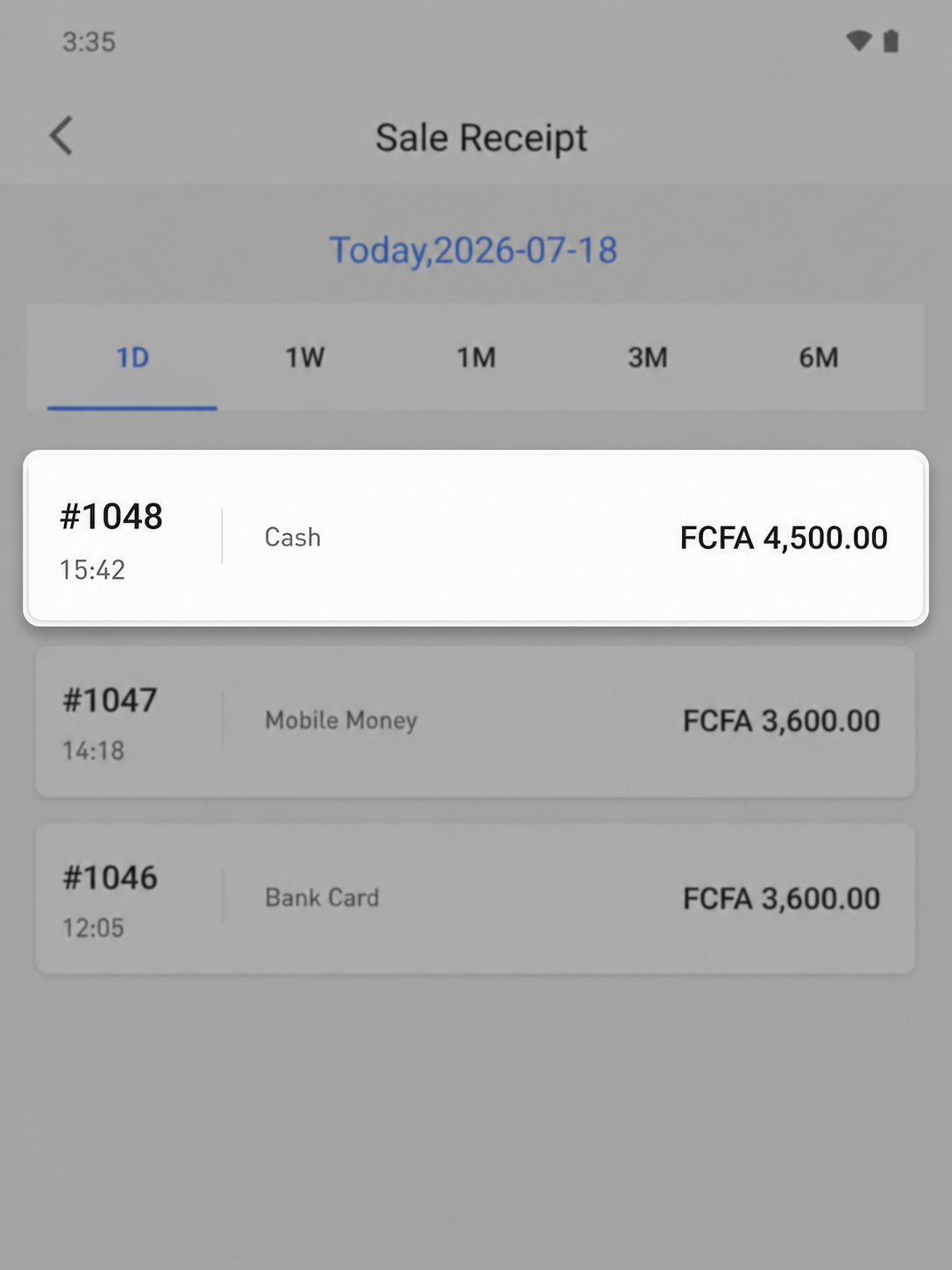
Keep locally available transaction details together so the team can reconcile work when connectivity returns.
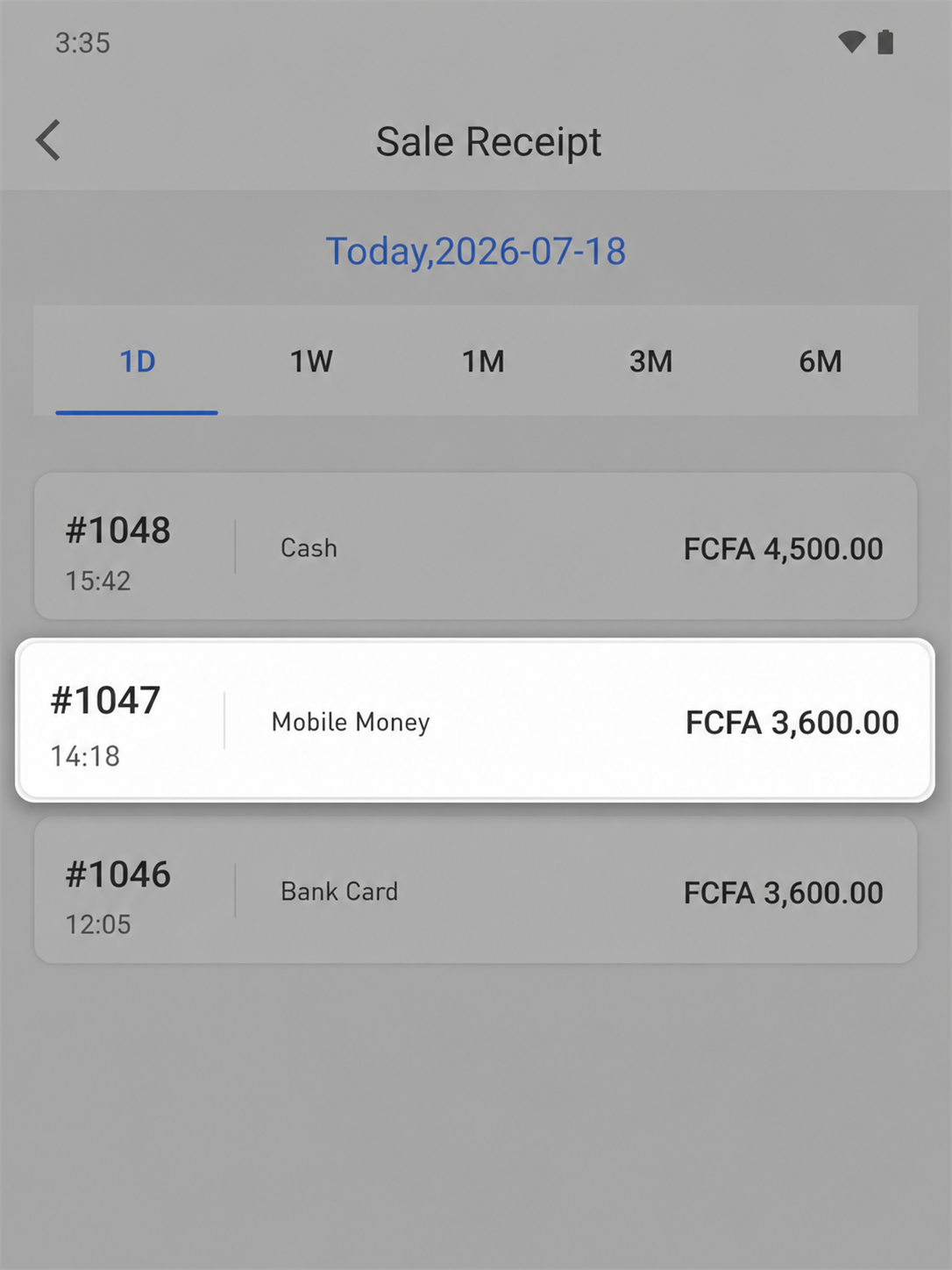
Retain a transaction reference and state so retry is not presented as a new sale.
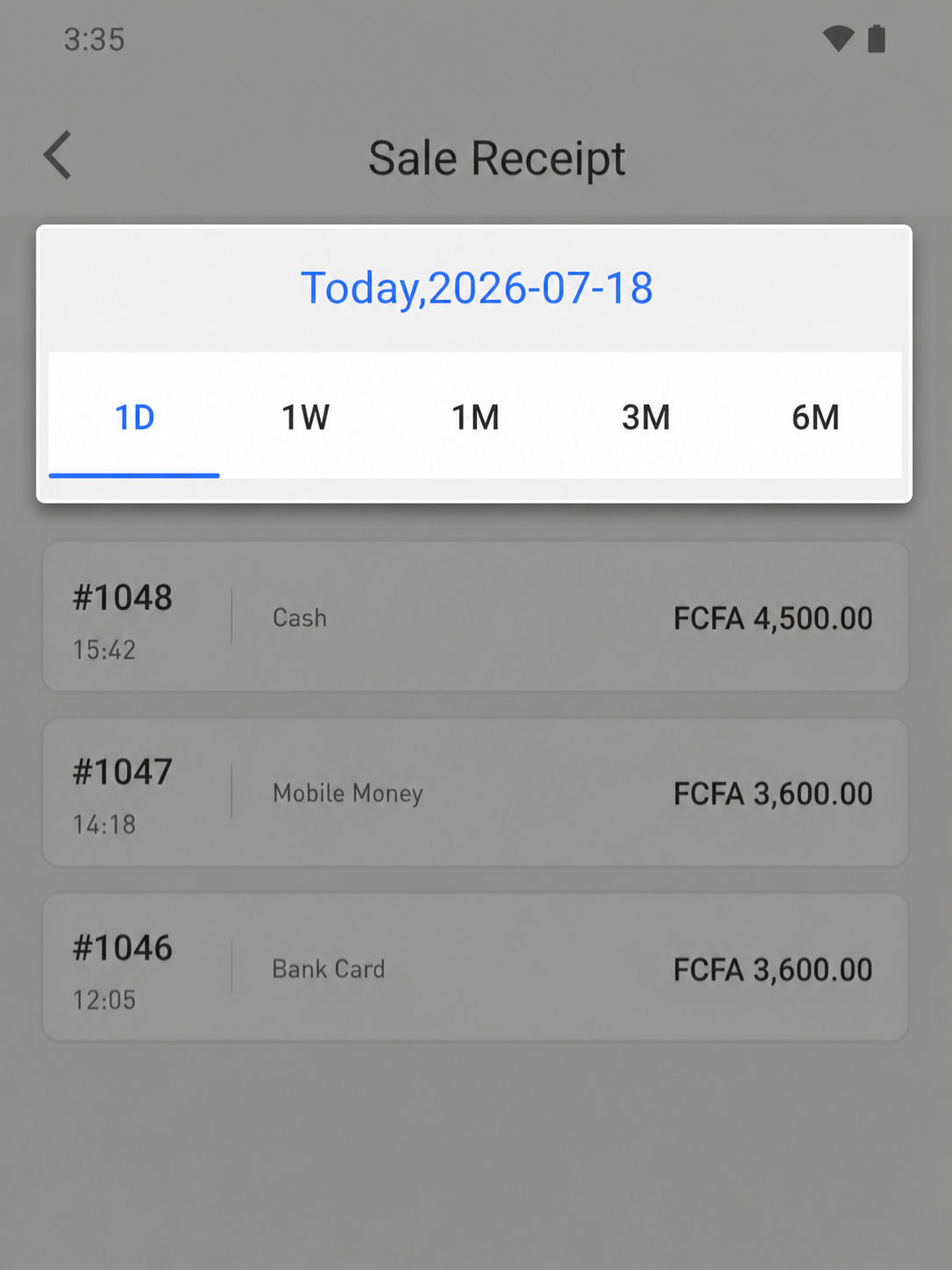
Filter receipt history by a defined period so the team can narrow the records that need follow-up through the configured recovery process.
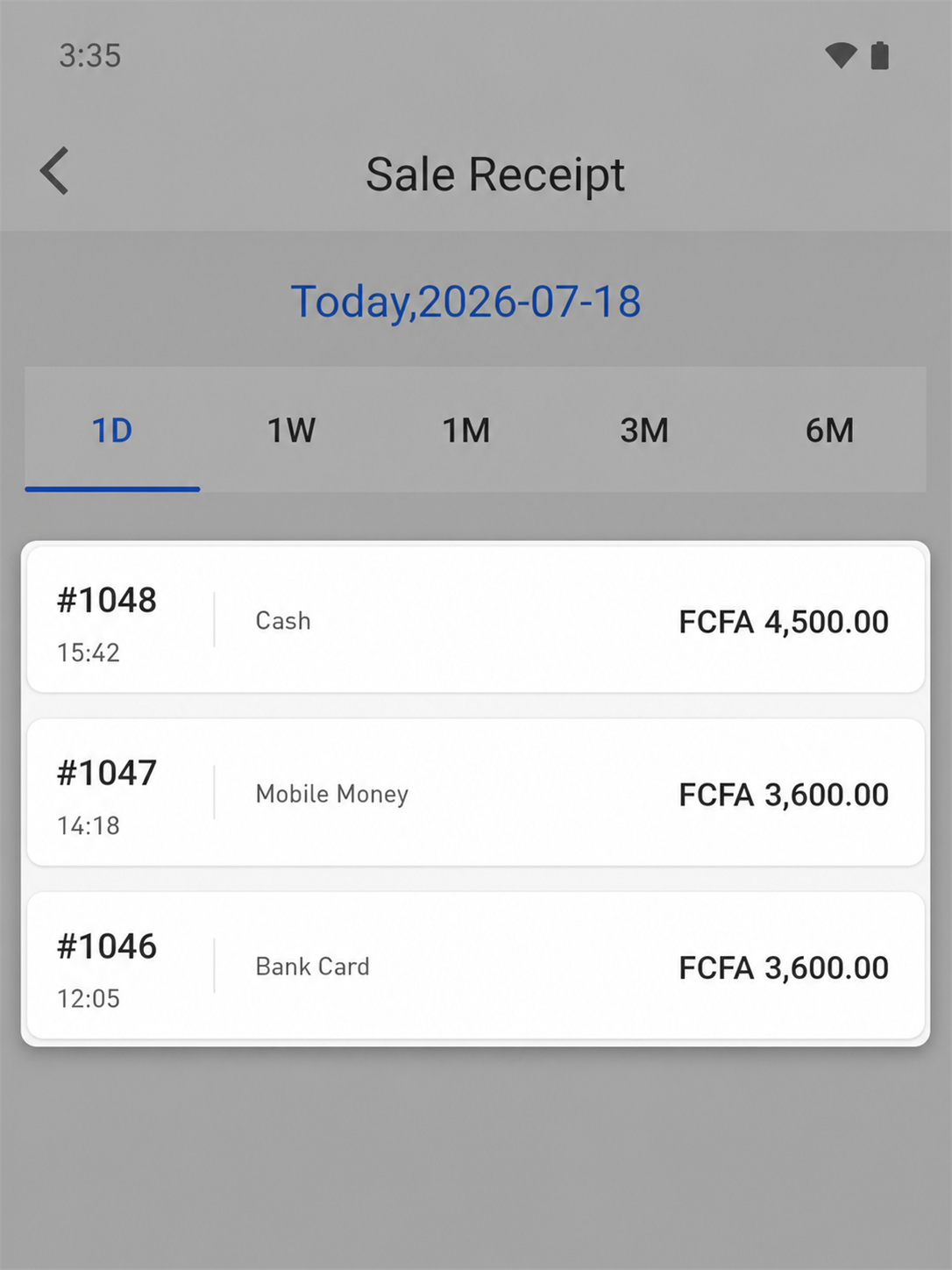
Keep locally available receipt records together so the team can review transaction references, times and amounts during recovery.
A practical product conversation
Walk through checkout, invoice safeguards, stock records and an interrupted connection using the setup relevant to your market.