

EazSell

Retail & Pharmacy

Keep a busy counter moving while sales, stock, payment records and fiscal receipts stay connected in one Android POS workflow.

Pharmacy staff member completing a customer payment on an Android POS at the counter
Pharmacy employee checking wellness product stock with an Android handheld in the aisle

Built for the counter

One checkout flow, from item scan to daily close.

Give the team one practical place to find items, record payment, validate the invoice and print the receipt. Each completed sale leaves stock and payment records ready for a clearer end-of-day review.

Built for the way your industry works.

Real EazSell screens show the practical tools available to the team at the point of sale.

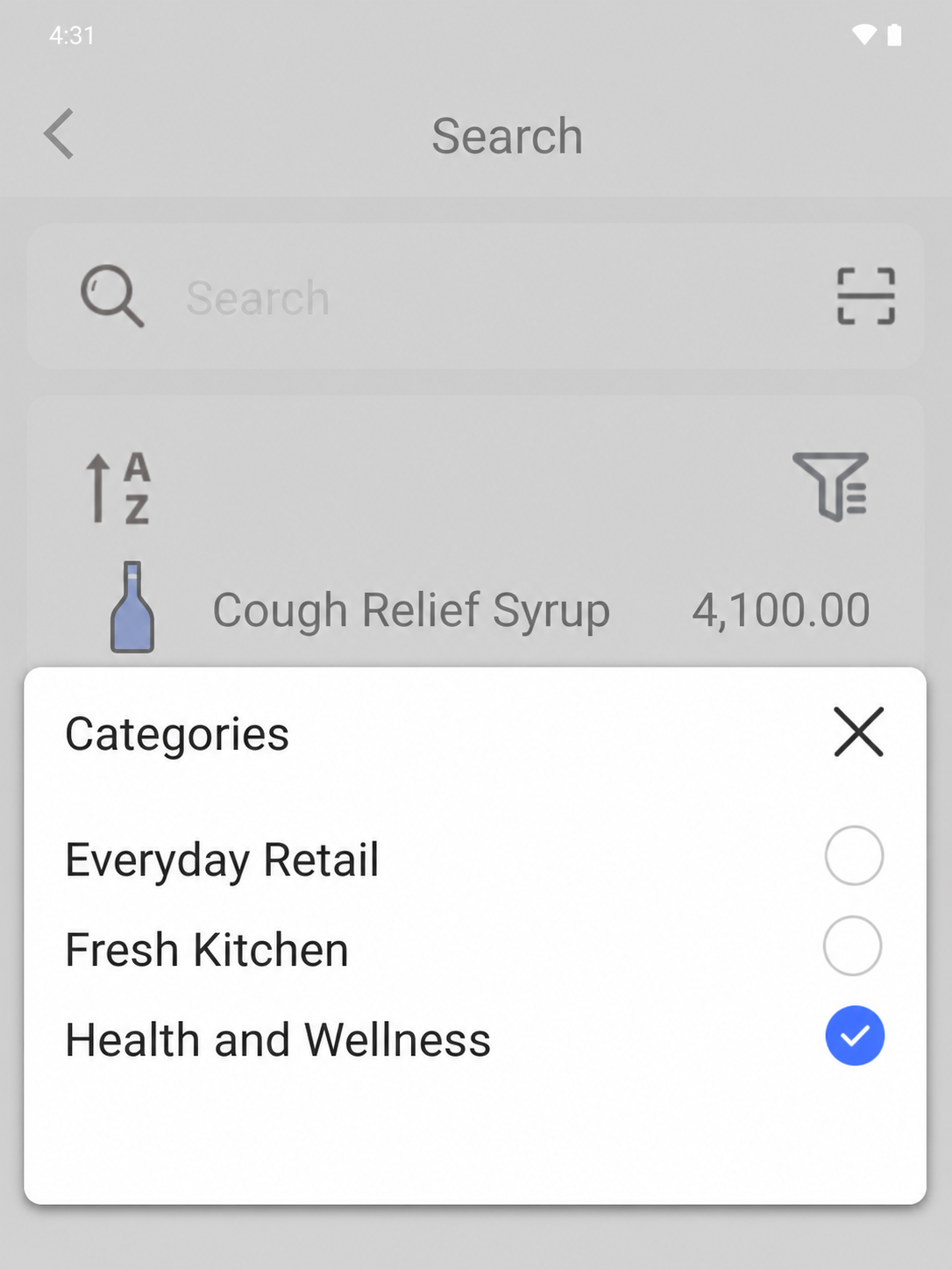
EazSell Android department filter open over Health and Wellness products with distinct thumbnails
01

Product search

Find health products without slowing the counter.

Open the department filter, choose Health and Wellness, and narrow a large catalogue to the products relevant to the customer in front of you. Distinct product thumbnails and visible prices make each result easier to recognise before it is added to the sale.

For a busy pharmacy or mixed retail counter, that focused view reduces repeated searches and helps new staff navigate the catalogue with greater confidence. The team can spend less time identifying an item and more time checking the customer’s request before checkout.

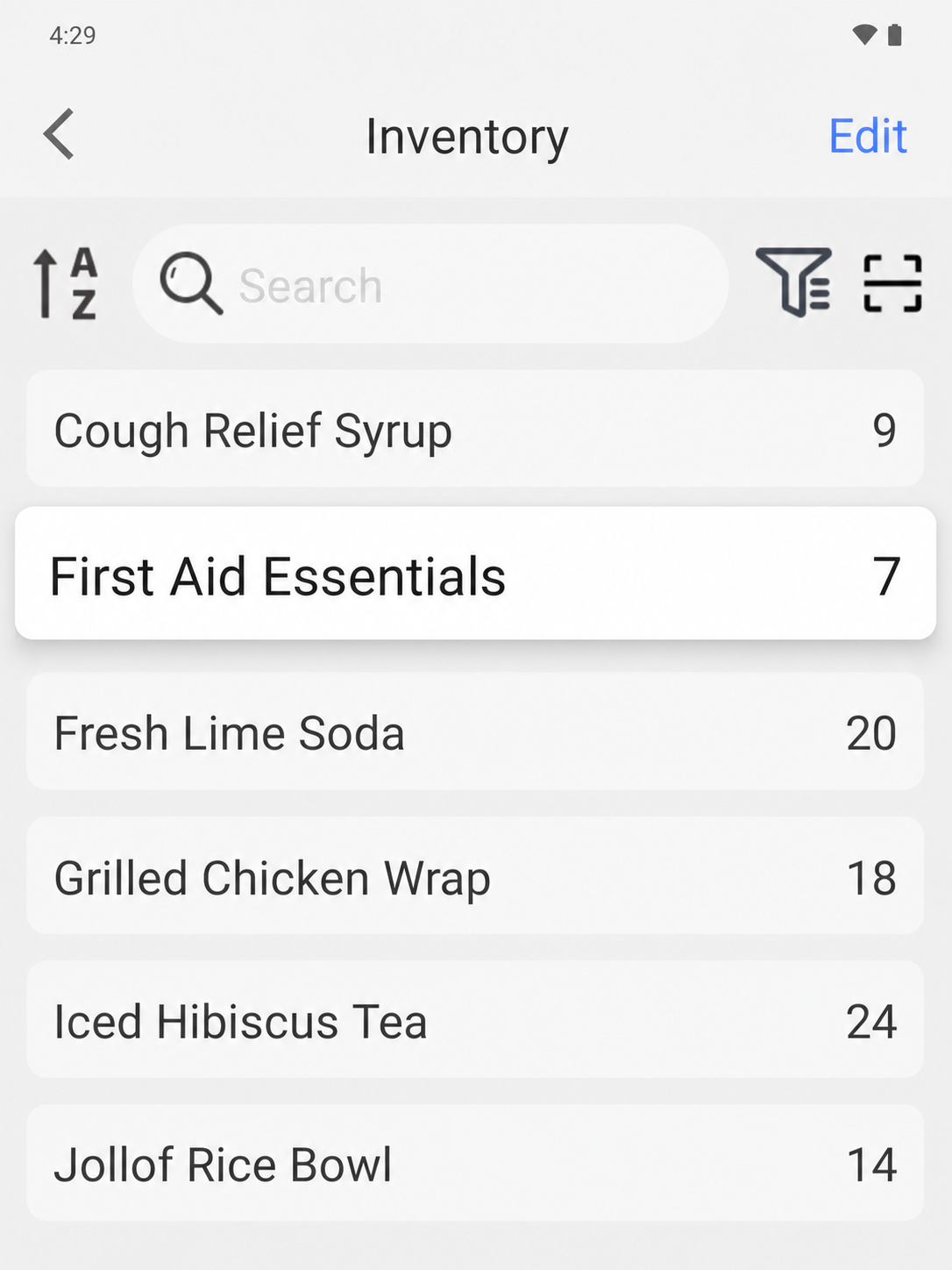
EazSell Android inventory screen showing products and their current stock quantities
02

Inventory control

See stock levels before the shelf runs short.

Review on-hand quantities across the catalogue from one inventory screen instead of checking separate notes or counting only after a shelf is empty. Every line keeps the product name and current quantity together for a faster visual review.

Supervisors can use the same view during replenishment rounds, shift handover or a quick spot check. Low quantities become easier to notice early, while the shared item list gives the counter and stockroom a clearer starting point for the next action.

Industry pain points

The workflow starts with the operational pressures that make a separate till, fiscal tool and spreadsheet difficult to manage.

Keep checkout moving

Scan or search items, change quantities and print receipts without moving between a till and a separate fiscal tool.

Reconcile stock and payments

Completed sales update stock records and capture configured payment labels so owners have a clearer basis for daily reconciliation.

Continue through weak connectivity

Eligible sales can be saved locally, with pending fiscal work kept visible until connectivity returns and synchronization is resolved.

A typical workflow

One clear journey connects the customer interaction to the business record that follows.

  1. 1

    Scan

    Find an item by barcode or product search.

  2. 2

    Collect

    Record the configured payment method used.

  3. 3

    Validate

    Check required invoice and tax details.

  4. 4

    Print

    Issue the fiscal receipt through a supported printer.

  5. 5

    Close

    Review stock movement, payment records and the Z report.

Recommended hardware

EazSell is hardware-neutral. The right Android device and printer category depends on the selling environment, country requirements and compatibility review.

  • All-in-one Android POS with a built-in receipt printer for a fixed counter
  • Android tablet or phone with a Bluetooth receipt printer for a flexible setup
  • Handheld Android POS for stock checks and sales away from the main till

See this industry journey in EazSell.

Walk through the sales flow, fiscal status, offline recovery and hardware setup relevant to your team.

Request a Demo